
iPhone Camera Not Working? Common Causes and Repair Options
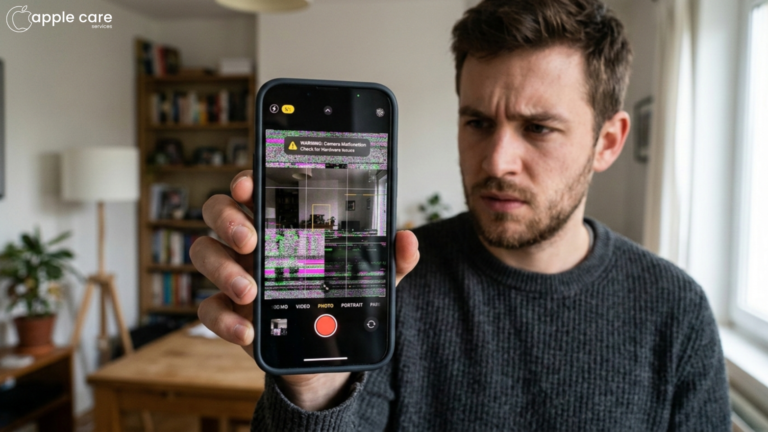
Bought an iPhone for its spectacular photography, and all of a sudden, the camera doesn’t act as it is supposed to. After a few frustrating moments, you are here expecting a quick fix, right? Do not worry, we have got your back. iPhone camera not working; is one of the most common issues raised, but luckily, it is also one of the easiest to resolve. Trust me, in most cases, it is just a matter of seconds, if you know the right way out. In this blog, you will learn about the common causes behind iPhone cameras not working and also the fixes for separate causes.
Reasons for iPhone Camera Failure
A Silly Software Glitch
We might easily panic, getting to see nothing but a pitch-black screen while opening our go-to iPhone camera app, which we totally miss out on doing the easiest fixes out there. Typically, it might be a silly software glitch.
Repair Option: Here is the good news. In this case, you don’t have to run to the nearest iPhone camera repair centre. Just close the app, reopen it once again, and you will be good to go with your camera working perfectly well. What happened? Your camera still doesn’t budge an inch? Well, if it is still a software glitch, the final fix would be to switch off your iPhone and then switch it on later.If It’s Dirty, Do a Bit of Doting
The lens and flash could have accumulated dirt and dust, leading the iPhone camera to be dysfunctional. Well, this is again a manageable issue, and you do not need the help of any professionals in fixing it.
Repair Option: Remove your iPhone from the case and check for any physical objects or dirt stuck in between blurring or completely obstructing the vision of the camera. If you have a lens cleaning solution, get a soft microfibre towel, and just go ahead with a gentle wiping over that lens, and your camera is all set to click again.Your iPhone needs some space too!
Cameras will refuse to work if that means adding more load to the gallery and then ultimately to the storage. You might not realise it until you get to the General Settings and then click on the Storage option.
Repair Option: Well, you do not need us to tell you what to do here. Delete those unwanted items stealing your storage, and finally give your iPhone some personal space!A Software Update Skipped
Your iPhone camera is not so old school. It will refuse to work under that old software. A skipped software update can also be the reason why your iPhone camera is not working.
Repair Option: Finally get that software update done, by connecting to a stable wifi around. If you plug in your iPhone meanwhile, it will be a more seamless experience for sure.iPhone Camera Not Working After Update
Your iPhone camera can misbehave in both ways. Either it could be a skipped software update or you may find the camera dysfunctional after a new software update. In most cases, this might be because of a bug or glitch in the new update. The update can also be incomplete, causing your iPhone camera not to work. The newer update can automatically turn off the camera permission in the settings, leading to the same malfunction. Sometimes, updates can even trigger a hardware issue that already existed in the device.Repair Option: Check for any minor updates even after the major update. Bug issues of newer updates usually get fixed with this. Go to the settings and then Privacy. Check for the permissions granted for the Camera app. If it is turned off, turn it on, for a quick fix. Setting—General—Transfer or Reset—Reset—Reset All Settings. This is also one of the actions that you can try out before heading to your trusted iPhone service centre in Qatar. Restoring your iPhone is also one of the methods to troubleshoot the camera issue, but make sure to save this as the last and final way out.
- The Hardware Hassle
If nothing that has been listed above seems to be the issue with your iPhone, it could be nothing but a hardware issue. Physical and water damage can be some of the causes behind the same.
Repair Option: At this point, it is quite important that you seek the help of an expert professional from a reliable Apple Service centre in Qatar. If your iPhone has yet to hit the warranty deadline, you may first contact Apple customer support before looking for the locally available iPhone camera repair services.
How to Check iPhone Repair History
- Navigate — Settings—General—About—Parts and Service History
This will let you know all the repairs that have been done to the display, camera, and battery of your device - Apple Support App
All the official and authorised repairs done are visible within this app. - Support.apple.com
Enter the credentials like your Apple ID and you can access the entire list of repairs done on your device.
Frequently Asked Questions
Why is my iPhone camera not working?
Dysfunctional iPhone cameras may be the result of many issues ranging from a simple software glitch to a serious hardware issue. Try out the easy troubleshooting steps first and then seek professional help, if the issue persists.
How do I fix my back camera on iPhone?
If the issue is just with your back camera, it is highly likely to be a dirt or debris issue. Remove the phone from the case and do a gentle yet thorough cleaning.
Is it worth fixing an iPhone camera?
This solely depends upon the kind of damage that has been caused to your camera. If it is an intense physical damage, it is better to switch the device entirely.
Are there a lot of options for iPhone repair Qatar?
Yes, there are quite a lot of service providers out there. But make sure you choose a reliable service centre, so that your device stays durable without raising any further service demands.