Uncategorized

iPhone Camera Not Working

iPhone Camera Not Working? Common Causes and Repair Options

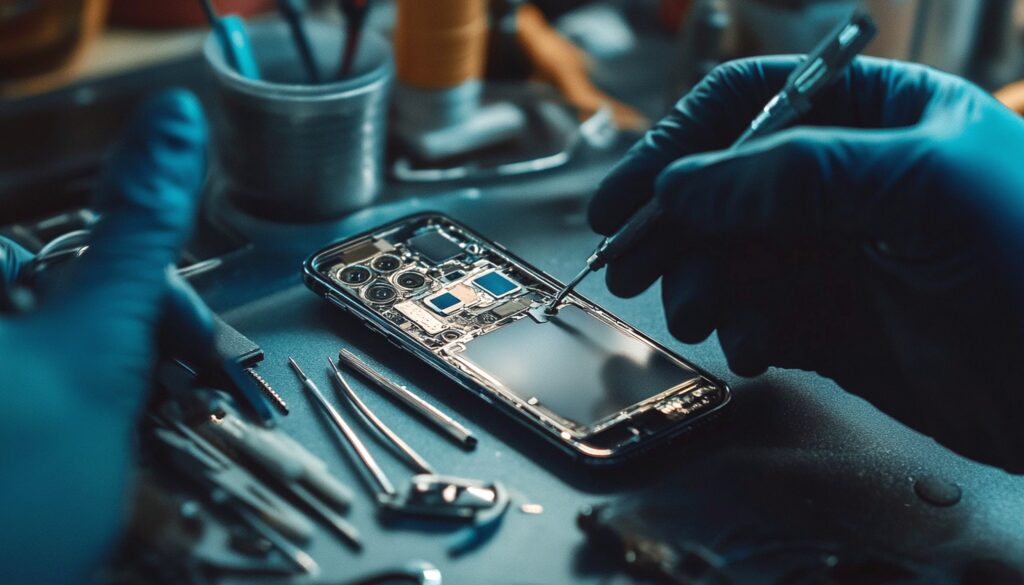
iPhone Camera Not Working? Common Causes and Repair Options Bought an iPhone for its spectacular photography, and all of a sudden, the camera doesn’t act as it is supposed to. After a few frustrating moments, you are here expecting a quick fix, right? Do not worry, we have got your back. iPhone camera not working; is one of the most common issues raised, but luckily, it is also one of the easiest to resolve. Trust me, in most cases, it is just a matter of seconds, if you know the right way out. In this blog, you will learn about the common causes behind iPhone cameras not working and also the fixes for separate causes.  Reasons for iPhone Camera Failure A Silly Software Glitch We might easily panic, getting to see nothing but a pitch-black screen while opening our go-to iPhone camera app, which we totally miss out on doing the easiest fixes out there. Typically, it might be a silly software glitch. Repair Option: Here is the good news. In this case, you don’t have to run to the nearest iPhone camera repair centre. Just close the app, reopen it once again, and you will be good to go with your camera working perfectly well. What happened? Your camera still doesn’t budge an inch? Well, if it is still a software glitch, the final fix would be to switch off your iPhone and then switch it on later.   If It’s Dirty, Do a Bit of DotingThe lens and flash could have accumulated dirt and dust, leading the iPhone camera to be dysfunctional. Well, this is again a manageable issue, and you do not need the help of any professionals in fixing it.Repair Option: Remove your iPhone from the case and check for any physical objects or dirt stuck in between blurring or completely obstructing the vision of the camera. If you have a lens cleaning solution, get a soft microfibre towel, and just go ahead with a gentle wiping over that lens, and your camera is all set to click again.   Your iPhone needs some space too! Cameras will refuse to work if that means adding more load to the gallery and then ultimately to the storage. You might not realise it until you get to the General Settings and then click on the Storage option. Repair Option: Well, you do not need us to tell you what to do here. Delete those unwanted items stealing your storage, and finally give your iPhone some personal space!   A Software Update Skipped Your iPhone camera is not so old school. It will refuse to work under that old software. A skipped software update can also be the reason why your iPhone camera is not working. Repair Option: Finally get that software update done, by connecting to a stable wifi around. If you plug in your iPhone meanwhile, it will be a more seamless experience for sure.   iPhone Camera Not Working After Update Your iPhone camera can misbehave in both ways. Either it could be a skipped software update or you may find the camera dysfunctional after a new software update. In most cases, this might be because of a bug or glitch in the new update. The update can also be incomplete, causing your iPhone camera not to work. The newer update can automatically turn off the camera permission in the settings, leading to the same malfunction. Sometimes, updates can even trigger a hardware issue that already existed in the device. Repair Option: Check for any minor updates even after the major update. Bug issues of newer updates usually get fixed with this. Go to the settings and then Privacy. Check for the permissions granted for the Camera app. If it is turned off, turn it on, for a quick fix. Setting—General—Transfer or Reset—Reset—Reset All Settings. This is also one of the actions that you can try out before heading to your trusted iPhone service centre in Qatar. Restoring your iPhone is also one of the methods to troubleshoot the camera issue, but make sure to save this as the last and final way out.   The Hardware Hassle If nothing that has been listed above seems to be the issue with your iPhone, it could be nothing but a hardware issue. Physical and water damage can be some of the causes behind the same. Repair Option: At this point, it is quite important that you seek the help of an expert professional from a reliable Apple Service centre in Qatar. If your iPhone has yet to hit the warranty deadline, you may first contact Apple customer support before looking for the locally available iPhone camera repair services.  How to Check iPhone Repair History Navigate — Settings—General—About—Parts and Service History This will let you know all the repairs that have been done to the display, camera, and battery of your device Apple Support AppAll the official and authorised repairs done are visible within this app. Support.apple.com Enter the credentials like your Apple ID and you can access the entire list of repairs done on your device.    Frequently Asked Questions Why is my iPhone camera not working? Dysfunctional iPhone cameras may be the result of many issues ranging from a simple software glitch to a serious hardware issue. Try out the easy troubleshooting steps first and then seek professional help, if the issue persists.  How do I fix my back camera on iPhone? If the issue is just with your back camera, it is highly likely to be a dirt or debris issue. Remove the phone from the case and do a gentle yet thorough cleaning.  Is it worth fixing an iPhone camera? This solely depends upon the kind of damage that has been caused to your camera. If it is an intense physical damage, it is better to switch the device entirely.  Are there a lot of options for iPhone repair Qatar? Yes, there are quite a lot of service providers out there. But make

iPhone Camera Not Working? Common Causes and Repair Options Read More »

iPhone Camera Repair, Uncategorized
iPad Service in Doha

Water Damage Emergency: The First 5 Steps Before Calling for iPad Service in Doha

Water Damage Emergency: The First 5 Steps Before Calling for iPad Service in Doha You are in full fun mode at Simaisma Beach. A moment’s mishandling happened, and your iPad fell into the water. These are the times your heartbeat rises.  When your iPad slips into water or gets soaked unexpectedly, screen flickering or going black can happen. In such a scenario, the first thing that comes to your mind is rushing for iPad service in Doha.  Water damage is a time-critical emergency. The first few minutes decide whether your iPad can be saved or permanently damaged.   This blog gives you five immediate, life-saving steps you must take to minimise internal damage. What You Should Do Before Reaching for an iPad Service in Doha Step 1: Power off the iPad immediately The first thing you should do when your iPad falls into the water is to switch it off immediately. This stops the electric current from flowing through wet internal components. Why do we suggest immediate power off? Let’s explain. Wet internal components can cause a short circuit that might lead to irreversible motherboard damage. That means even a few seconds of power can worsen internal components.  Unresponsive screen? Perform a force shutdown to ensure a complete power-off, and this can increase the chances of successful repair at an iPad service centre in Doha.   Step 2: Dry the Exterior Carefully Gently wipe the exterior casing and screen using a clean, lint-free cloth or paper towel. There will be water droplets on the screen, edges, and back panel. Wipe the exterior using a microfibre cloth to remove visible water droplets. You can also use a lint-free cloth or a paper towel. It rules out the chance of entering fibres on speaker grills or ports. Gently pat the device. Don’t rub. While cleaning, give attention to the charging port, buttons, speakers, and camera lenses. Avoid shaking the iPad, as it may cause water to spread to the sensitive internal components.   Step 3: Remove Sim Tray, Accessories, and Covers The SIM card tray may trap moisture inside. So remove it immediately and keep the SIM card in a safe, dry place. The protective cases, covers, and screen protectors may also trap moisture against the iPad’s surface. So detach all immediately. It also improves air circulation, making the device dry more evenly. Don’t forget to keep the device uncovered. Practising all these can tackle internal damage to a large extent.      Step 4: Avoid Common DIY Drying Mistakes DIY methods can be tempting, but practising them can cause more damage to your iPad than you could imagine. Yes, you got it right. DIY methods do no good to your device, and they are not scientifically reliable. DIY absorbents draw moisture deeper into the internal components.  DIY makes use of rice and other powdery materials. It can enter the ports and vents, which may cause additional damage. These methods increase the risk of corrosion over time, other than delaying professional diagnosis. Your iPad service in Doha performs controlled drying and internal inspection, which the unverified home remedies can’t offer. Step 5: Do Not Attempt to Power It Back On The reason that leads to permanent internal damage to your iPad is your attempt to turn it on after water damage. Short circuits can cause more harm than you think. The reason why moisture is taken as a villain is that it may conduct electricity, damaging the logic board and connectors instantly. Even if your iPad remains dry outside, the moisture may still be contained inside. Powering it on may accelerate corrosion, which reduces the chance of successful repair even if you take your iPad to the best iPad service centre in Doha.   Check Your iPad’s Condition from a Credible iPad Service Center in Qatar Water damage is an emergency condition, and it needs to be covered in several steps to protect your device. The important step is to contact a credible iPad service in Doha and bring your device there without any delay. Apple Care offers doorstep pickup and delivery. You can opt for that if you can’t bring your device to the service centre right away. Apple Care is a top iPad repair centre in Doha that offers fast repairs at transparent pricing. You can get real-time repair status from us to keep you informed throughout the process.  Your iPad needs emergency repairs, and we will update you on any required approval before proceeding with repairs. We will return your iPad in perfect working condition.      Conclusion You have to follow several important steps when your device gets wet. The first thing you have to do is to power off the wet iPad immediately. Carefully dry the exterior; you can use a microfibre cloth for it. Remove the SIM trays, accessories, and covers to allow the internal components to breathe. Never think of performing any DIY methods. If you do that, that will be the reason for more damage. Even if your iPad seems dry on the surface and you perform other steps, ensure you don’t attempt to power it back on unless your iPad service in Doha guarantees you can do so.  Don’t risk permanent damage to your iPad! Contact Applecare in Doha immediately for fast, reliable and safe water damage repair.     FAQ When your iPhone immediately falls into the water, the first thing you can do is to power it off. It can help prevent short circuits and further internal damage. When your iPhone immediately falls into the water, the first thing you can do is to power it off. It can help prevent short circuits and further internal damage.  Is it important to wipe my iPad after water damage? Yes, you can use a microfibre cloth to gently remove the visible moisture from the device.  Can I shake my iPad to remove water? No, shaking pushes the water deeper into the internal components. It will worsen the damage.  How do removing the SIM tray and accessories help limit water damage? If you

Water Damage Emergency: The First 5 Steps Before Calling for iPad Service in Doha Read More »

Uncategorized
iPhone 17

iPhone 17: What’s New & How to Care for It (And Why Servicing Matters)

iPhone 17: What’s New & How to Care for It (And Why Servicing Matters) As the excitement of unboxing your new iPhone 17 settles in, how would you feel when your brand-new device isn’t performing the way it should? It is disappointing when your expensive device shows issues you didn’t expect. So, fast and reliable servicing at an advanced iPhone service centre in Qatar that is equipped with the latest Apple technology truly matters. This blog serves as a guide to what’s new in your iPhone 17 and how to care for it the right way.   What’s New in the iPhone 17: Key Features and Upgrades A18 Bionic Fusion Chip for faster performance and smoother multitasking, making it highly suitable for gaming, AI tasks, and heavy apps.  New AI-powered Camera System offers advanced computational photography, improved night mode, an upgraded telephoto lens, and smarter portrait processing. Longer battery life that extends all-day usage even with heavy tasks, ensuring optimised power consumption and a new battery-saving algorithm. Ultra-smooth ProMotion Display Upgrade that delivers a brighter, highly responsive display with improved outdoor visibility and an enhanced 120 Hz refresh rate. New Cooling System for better performance stability, helping prevent overheating, especially during gaming, 4K recording, or long use. Enhanced communication and Emergency Communication Features that ensure more reliable connectivity in low-network areas with improved SOS support.  Upgraded iOS experience with new AI features that offer personalised automation, better voice recognition, smarter widgets, and enhanced system-wide intelligence.  Faster charging and better heat management that supports quicker wired and MagSafe charging with low heat buildup.  Sleeker, lighter design with improved ergonomics, making the device feel more comfortable in the hand.   Common Issues & Why They Happen Screen Sensitivity: The advanced ultra-thin adaptive display; minor calibration errors or micro-pixel irregularities can cause touch delays, ghost touches, or unresponsive areas.  Faster Battery Drain: The upgraded AI-powered chipset and high-refresh display consume more power. Newer batteries may take time to adjust to usage patterns.  Overheating: The enhanced processor and camera hardware generate more heat, especially during heavy use such as gaming, 4K recording, or long FaceTime sessions. New thermal system may require firmware tuning.    Charging Issue: New fast-charging protocols require enhanced compatibility with Apple-certified chargers, leading to slow or no charging.   Camera Focusing Issues: Shaky videos, autofocus delays, or blurred images – the upgraded multi-lens system may experience early software bugs.   Speaker Distortion: The new dust-resistant acoustic grills and tighter waterproof sealing cause low output or muffled sound until updated or professionally cleaned.  Unexpected System Freezes: Third-party apps may not be updated to the latest hardware, leading to app crashes. New chipsets and iOS versions often mean early-stage optimisation issues.  Face ID calibration errors: The upgraded under-screen Face ID module may experience initial alignment issues, affecting unlock accuracy and speed.   When & Why You Should Visit a Service Centre When to seek iPhone service in Qatar? Certain signs your device shows indicate it needs professional servicing rather than home fixes. Serious concerns arise when hardware issues affect your device’s performance. The signs, such as screen glitches, unresponsive touch, overheating, or fast battery draining, indicate deeper hardware faults. In the same way, accidental drops, spills, or impacts can result in your device looking fine on the outside but with damaged internal components. Similarly, software errors or system crashes need advanced diagnostics for firmware bugs, corrupt files, or compatibility issues.  Specialised tools are required when your iPhone 17 shows a signal, audio, or camera malfunction. What You Can Expect From a Good Service Center Entrust your device to a reliable iPhone repair centre in Qatar that offers accurate diagnostics using advanced tools. The Apple-grade diagnostic system precisely identifies issues. Professionally trained and certified technicians handle every repair with care, following an efficient repair procedure.      What We Offer at Our iPhone Repair Center in Qatar AppleCare offers expert iPhone repair in Qatar. Your device is 100% safe in our hands. With highly trained, certified technicians, we distinguish ourselves as the best iPhone service centre in Qatar that utilises genuine Apple-grade components and offers a warranty on all replacements. With fast turnaround and transparency in pricing, AppleCare offers reliable repairs for your iPhone 17. Whether it is screen replacements, camera repairs, or chip-level repairs, we ensure each and every repair is pursued with high precision and care. Our iPhone repair centre in Qatar is highly equipped with the latest Apple diagnostics and repair technologies. Trust us; you can get your device back as good as new.   Tips to Keep Your iPhone 17 in Top Shape Use a high-quality, durable, shock-absorbent case that can shield your iPhone 17 from accidental drops, scratches, and body-frame damage. Apply an ultra-thin tempered glass or ceramic screen protector for your iPhone 17 to reduce the risk of cracks and scratches while maintaining clarity.  Unexpected crashes, system updates, or hardware failures can cause data loss, and enabling iCloud or performing manual backups can help prevent it.  Use a soft microfibre cloth to clean the device regularly, as the dust in the speaker grills, charging ports, or the camera area can affect performance. Use only Apple-Certified chargers and accessories for your Apple device. iPhone 17’s fast-charging system requires MFi-certified cables and adapters to prevent overheating, slow charging, or long-term battery damage.  Smart User Habits: How to Preserve Performance & Battery Health Don’t forget to avoid overcharging or overnight charging. Keep the battery between 20% and 80%. Enable optimised battery charging, which helps your device learn your routine and delays charging past 80% to reduce battery ageing.  Avoid heavy tasks such as gaming or 4K recording while charging, as it results in the device heating up faster, stressing internal components. Keep iOS updated; it helps fix early bugs, improving performance and security while optimising new hardware features.  Monitor background apps and close those that are unnecessary to prevent battery drainage, overheating, and slow performance.  Prevent thermal throttling by placing your device in cool environments to keep the processor and batteries safe.  Use storage wisely by keeping at least

iPhone 17: What’s New & How to Care for It (And Why Servicing Matters) Read More »

General, Uncategorized
iphone repair center in Qatar

First Time Visiting an iPhone Repair Centre in Qatar? Here’s What You Need to Know

What importance does your iPhone have in your daily life? Is your day-to-day life highly dependent on your phone? For almost all, the answer is yes. When you have to approach an iPhone repair centre in Qatar, your mind will be chaotic, especially if you are visiting for the first time; you might be going through a lot of questions.  More importantly, the panic and the confusion arise when your phone suddenly stops; it is overwhelming. So, if you are a first-time visitor to an iPhone repair centre, there are certain things you should know. Here, in the blog, we will also explore the benefits of choosing a reliable service centre in Qatar. So, without any wait, let’s dive into the topic. Things to Know Before Visiting an iPhone Repair Center Know your iPhone issue Try to identify the specific issue with your iPhone before visiting the service centre. Be it a hardware problem or a software issue, diagnosing the problem is essential. Common symptoms to look for with hardware issues include overheating, screen damage, battery drainage, and so on, which can help technicians diagnose the issue faster. On the other hand, before visiting the service centre, perform a software reset or update. Minor glitches can be resolved without repair. Check for Authorisation Make sure you visit an authorised service centre, as unauthorised repair centres could void your Apple warranty. They might use non-genuine parts, which can affect your device’s performance and longevity. A reliable service centre will only use original parts for replacement. Understand the Cost and Timeline When it comes to repairing, request a pre-repair estimate of cost and timeline to avoid any surprises when it’s time to pay. Also, don’t forget to compare the repair cost with other centres to ensure you get the best value. As your iPhone is highly dependent on your important work schedules, it is also important to enquire about the repair time. Ask whether it can be completed on the same day or if you’ll need to leave your phone for a more extended period. Check for Warranty​ If your iPhone is within the Apple warranty period, ask whether your issue is a warranty-related problem or not. For your iPhone services in Qatar, don’t forget to ask if they are providing any repair warranty. A repair warranty ensures the protection of your device if the issue resurfaces after repair. Back up your data Your data is critical, and before handing over your iPhone for repair, make sure all essential data like contacts, photos, and documents are backed up. The repairs might involve resetting or replacing parts of the device. A trusted iPhone service centre in Qatar will do the necessary data backup measures before repair. Data Security​ Just like data safety, data confidentiality is of utmost importance. When opting for an iPhone repair in Qatar, make sure they follow strict data privacy practices to ensure your personal information is secure throughout the repair process. To add more security, you can also consider a factory reset to erase sensitive data before handing over your device to the repair centre. Check Reviews and Reputation​ Ensuring the repair centre delivers high-quality service and reliable repairs is important, and for that, look for customer feedback and reviews online. You have to choose a service centre with huge, satisfied customers and positive reviews. Benefits of Choosing a Reliable iPhone Repair Center in Qatar Use of Genuine Apple Parts For enhanced protection and longevity, your iPhone should be repaired with original parts. And a reliable iPhone repair centre will make sure they only use genuine parts for repair.  Expert Technicians Performing accurate repairs is important, and a skilled and certified technician provides expert repairs, ensuring you peace of mind. Warranty protection on Repairs Warranty coverage contributes to protecting your iPhone from future issues. This not only ensures your peace of mind but also builds a sense of trust with the repair centre.  Professional Diagnosis To achieve accurate solutions, a professional diagnosis is essential. It helps in effectively fixing the problem, and you can get a thorough and expert diagnosis from a reliable repair centre.  Faster service Your busy schedule very much needs your phone in good condition. So, for that purpose, faster service with minimal downtime is essential. A reliable service centre ensures quick turnaround times so you get your device back in your hands as soon as possible.  Dedicated customer support Clear communication is the key, and it is the same during your iPhone repairs as well. A reliable service centre makes sure you receive exceptional customer support with transparent communication and timely updates throughout the repair process. Data security during repairs Data security, as well as data confidentiality, is important. If you want your data to be protected, approach a reliable service centre for repairs.  How Our Service Center, AppleCare, Excels in All These Areas At Apple Care, Qatar, we only use original Apple parts, guaranteeing the longevity and performance of your device after repair. Our skilled technicians make sure your iPhone works like new through their precise and professional repairs. At Apple Care Services, quick and efficient service is our speciality. We give you quality repairs at minimal inconvenience. Price transparency is important, and we make sure you know the cost and timeline with a clear pre-repair estimate before we begin our work. Your time is important, and with a hassle-free repair and easy online booking system, we greatly save your time and effort. Our strict data security measures ensure your personal information is safe during the repair process. With positive customer reviews and testimonials, Apple Care Services establishes itself as a leading iPhone repair centre in Qatar.  Conclusion Choosing a reliable and certified repair centre in Qatar is crucial to ensure quality repairs with genuine parts for the long-term safety of your device. Before selecting a service centre, do some small research of your own. At Apple Care Services, Qatar, with professional technicians, genuine parts and data security practices, we ensure you complete

First Time Visiting an iPhone Repair Centre in Qatar? Here’s What You Need to Know Read More »

Uncategorized
iPad Not Charging? Common Issues & Easy Fixes

iPad Not Charging? Common Issues & Easy Fixes

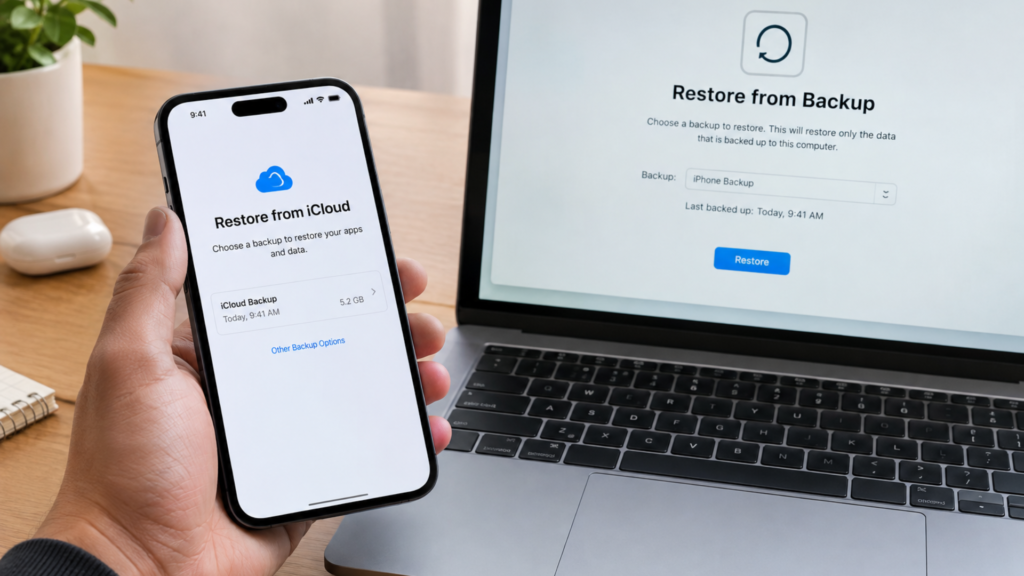
iPad Not Charging? Common Issues & Easy Fixes Your iPad is not charging? Don’t panic! We have all been here before! Just when we are in the middle of something important, binge-watching our favourite show, or about to go out, suddenly our iPad’s battery starts to drain, and when we plug it in, nothing happens. Yes, your iPad is not charging, but don’t worry, Apple Care, the best iPad repair & services in Qatar, can fix it! In this article, we will discuss the common issues related to iPad charging and some easy fixes. Common issues that prevent your iPad from charging Before we dive into the little tricks that could fix your iPad charging issue, let’s take a look at some common issues that might be preventing your iPad from charging in the first place! ● Faulty charging cable or adapter● Damaged charging port● Software issues or glitches● Dead battery or faulty battery health● Physical damage or water damage Easy fixes to get your iPad charging againMost of these issues we have mentioned above can be fixed. Here are some step-by-step solutions to get your iPad charging againCheck your charging cable and adapterThe most common issue is usually the simplest to fix. If the problem is with the charging cable or adapter, try using a different charging cable and adapter to rule out any damage. Make sure the cable is properly plugged in and the adapter is securely connected to the socket. Try using different sockets as well because the one you regularly use could be damaged. Clean the charging port Dirt, dust, and debris can all accumulate in the charging port over time and prevent your iPad from charging. Use a soft brush or a cotton cloth to gently clean out the port; be careful to not push too hard and damage the port, and check if that makes a difference. Restart your iPad Sometimes, a simple reboot may resolve the issue! To restart your iPad, you need to press and hold the Sleep button until the “Slide to Power Off” slider appears; slide the slider and turn off your iPad. Then, press and hold the Sleep/Wake button again to turn on the device and try charging again. Update your iPad’s software Outdated software can cause charging issues. So go to Settings and check for any available software updates. Follow the instructions to download and install the latest software and try charging again. Check your iPad’s battery health If your iPad’s battery is old or damaged, it might not be holding a charge. You can go to Settings > Battery > Battery Health and check the condition. If the battery’s health is poor, you may need to replace it. Back up your data and restore your iPad If none of the steps above work, it might be time to restore your iPad to its factory settings! Back up your data using iCloud or iTunes so that you don’t lose anything during the process, then go to Settings > General > Reset > Erase All Content and Settings. When to seek professional help? A non-charging iPad can be frustrating, but it’s not the end of the world! You can use these easy fixes and troubleshooting steps to resolve the issue and get back to using your iPad like before. However, if none of these easy fixes work, you should know that it’s time to seek professional help. Apple Care‘s expert technicians can diagnose and repair any issue, from faulty charging ports to damaged batteries.  Best iPad Repair & Services in Qatar We pride ourselves on providing the best iPad repair and services in Qatar, and our expert technicians ensure that your iPad is repaired quickly and efficiently. Whether you are dealing with charging issues, cracked screens, or water damage, we have you covered! We are your one-stop shop for all Apple device issues, and we are here to provide you with expert service and repair assistance. Contact us today to schedule an appointment and experience the best iPad repair and services in Qatar. Contact Apple Care Location & Contact 2nd Floor, Building #318, Street #280 Near Zoo Signal, Opst Aspire Park Muaither, Doha +974 55515041 contact@applecare.qa

iPad Not Charging? Common Issues & Easy Fixes Read More »

Uncategorized
Essential Guide to Laptop Battery Maintenance and Troubleshooting

Essential Guide to Laptop Battery Maintenance and Troubleshooting

Essential Guide to Laptop Battery Maintenance and Troubleshooting Batteries are a crucial part of modern laptops since they enable users to operate while on the go without being connected to a power outlet. Laptop batteries, like all batteries, can have problems that shorten their lifespan and impair their functionality. The most typical laptop battery problems will be covered in this blog post, along with troubleshooting tips to help you maximize your laptop battery life. Prior to delving into the intricacies of laptop battery repair, let us first examine the significance of laptop batteries and the reasons that maintaining their health is so important. When your laptop isn’t linked to an external power source, its batteries are meant to keep it running. They will eventually need to be replaced because they are rechargeable and have a finite lifespan. You can prolong the life of your laptop battery and steer clear of typical battery-related problems, though, with the right care and upkeep. Understanding Laptop Batteries Understanding the many kinds of laptop batteries, their capacities, lifespans, and the variables that may impact their performance is crucial for efficiently troubleshooting battery problems. Laptop batteries come in two primary varieties: nickel-cadmium (NiCad) and lithium-ion (Li-ion). The most popular kind of laptop battery is Li-ion, which is renowned for its extended lifespan, low self-discharge rate, and high energy density. Conversely, NiCad batteries are less popular and are characterized by their limited lifespan, high self-discharge rate, and low energy density. When diagnosing laptop battery problems, battery longevity and capacity are crucial considerations. How long a battery can run on a single charge is determined by its capacity, which is expressed in milliampere-hours (mAh). A laptop battery’s lifespan is influenced by a number of variables, such as usage habits, environmental factors, and the number of charge cycles. Manufacturer Strategies: Battery Maintenance Basics As the laptop manufacturer is the only one who can produce a battery specifically for their device, laptop batteries can sometimes be costly. This is done in order to provide the manufacturer market dominance when you require a new battery. Frequently, this is done to persuade you to purchase a new laptop rather than changing the battery. In many instances, the manufacturer intended for there to be little price differences. It is preferable to take the battery out of your laptop when it is not being used for a long time. While the battery is not being used, it will continue to gradually drain. You might not be able to get your laptop to identify the battery the next time it is recharged if this discharge occurs inside the device. Common Laptop Battery Issues Finding the issue is essential to troubleshooting laptop battery problems successfully. Inaccurate battery percentage displays, sudden shutdowns, quick battery loss, improper charging, and the laptop not turning on without a power source are all common battery-related problems that laptop users encounter. By identifying these particular issues, customers may take the necessary actions to fix them and guarantee that their laptop runs smoothly. Basic Troubleshooting Steps for Laptop Battery Issues It’s time to troubleshoot the batteries when you’ve determined what the problem is. Make sure the power cord is plugged into the laptop and the power socket by first inspecting the power connections. Restarting the laptop can sometimes fix problems with the battery. Additionally, as out-of-date drivers can create issues, check sure that all device drivers are current. Finally, to maximize battery life, reset the power settings. You may successfully handle typical laptop battery problems by following these methods. How to Calibrate Your Laptop Battery Effectively One efficient troubleshooting method that might help you prolong the life of your laptop battery is battery calibration. To guarantee that the percentage is shown correctly, the battery must be discharged and then recharged. Use these procedures to adjust the battery in your laptop: Start by fully draining the battery. The battery should thereafter be fully recharged. Lastly, adjust the battery using battery calibration software. You may prolong the life of your battery and preserve its accuracy by doing these things. Tips for Extending Your Laptop Battery Life Another efficient method for resolving laptop battery problems is to prolong battery life. By lowering screen brightness, shutting down Bluetooth and Wi-Fi when not in use, and modifying sleep settings, you can optimize your laptop’s power settings and minimize battery loss. Reduce background processes as well by shutting down unused programs and battery-using tasks. Make use of the built-in power-saving functions; certain laptops have these to help prolong battery life. You may extend the life and performance of your laptop’s battery by heeding these suggestions. Maintaining Your Laptop Battery with Expert AppleCare Assistance In conclusion, for optimum performance and durability, your laptop battery needs to be maintained through care and calibration. Frequent troubleshooting can assist prolong the battery’s life and prevent common problems. However, it’s always a good idea to speak with a specialist if you’re having on going battery issues or require professional assistance. Reputable laptop repair shop Apple Care provides thorough fixes for battery difficulties as well as other laptop-related concerns. Their knowledgeable professionals can assist in identifying and fixing battery issues, guaranteeing that your gadget will continue to function properly for several years to come. Whether you’re working at home or on the go, you can make sure your laptop is constantly operating at its peak efficiency with their help. You can have a smooth, effective experience with your laptop by taking the proper precautions to maintain its battery and getting expert assistance when necessary. [grw id=11993] Contact Apple Care Location & Contact 2nd Floor, Building #318, Street #280 Near Zoo Signal, Opst Aspire Park Muaither, Doha +974 55515041 contact@applecare.qa

Essential Guide to Laptop Battery Maintenance and Troubleshooting Read More »

Laptop, Uncategorized
Top 5 iPad Repair Centers in Qatar

Top 5 iPad Repair Centers in Qatar

Top 5 iPad Repair Centers in Qatar Your iPad is an investment, a gadget that holds all your valuable data, enables your productivity, and provides entertainment at the tip of your fingers. Choosing the right repair center becomes very important for such premium gadgets for proper maintenance. So always be careful when handing over your device for a repair. Hand it only to professionals who might provide you with the best quality repairs and also prolong the life of your iPad. To help you choose the best, we have compiled a list of the top 5 iPad repair centers in Qatar. AppleCare AppleCare Qatar is the best iPad repair service in Qatar. From quality services to customer satisfaction, this Apple repair and service center in Qatar has earned its reputation as the most trustworthy and professional. It is also noted for successfully undertaking repairs even on the most complicated issues. This is what makes us a perfect choice and a trusted recommendation from our customers.Service offered:Screen ReplacementBattery ReplacementLiquid Damage RepairCharging Port RepairMotherboard RepairCamera Repair and ReplacementSpeaker and Microphone RepairsButton and Connectivity RepairsSoftware Diagnostics and UpdatesData Recovery 2. Bayt Al Tech Bayt Al Tech is one of the iPad repair service providers with efficient service and technical knowledge. They handle all models of iPads, and repairs are mostly done very fast.Bayt Al Tech emphasizes on affordable and reliable choice for customers Services provided:Screen replacementBattery replacementWater damage repairCharging port fixingSoftware troubleshooting 3. Real Expert QatarReal Expert Qatar is a team of skilled technicians with a customer centric approach. Their iPad repair services range from any problem related to the iPad to getting your gadget into proper working condition in no time by using high-quality parts, ensuring durability and reliability in repairs. Services offered:Cracked screen repairMotherboard repairBattery replacementCamera replacementData recovery services 4. Apple Service QatarApple Service Qatar is another iPad repair service provider in Qatar. They are noted for their commitment to precision and high standard services. Services Provided:Screen ReplacementBattery ReplacementLiquid Damage RepairSoftware DiagnosticButton and Connectivity Fixing 5. Apple Repair DohaApple Repair Doha is a standard iPad repair service provider for a variety of iPad issues. They handle all common problems related to iPads and put in an effort to fix the issues properly. Services offered include:Screen and display fixingPower and battery repairLiquid damage repairSoftware troubleshootingHardware upgrading What makes AppleCare so unique?Certified technicians with high experienceOnly uses genuine Apple parts for all repairsSame-day service for common issues Comprehensive diagnostic tools to fix the issuesAt an affordable price and with transparent processes of repair AppleCare Qatar goes the extra mile to provide you with the best service so that your iPad functions as good as new. With a user-friendly website, booking an appointment is easy. Commitment and excellence have earned us reviews from satisfied customers. Visit Apple Care Qatar today for perfect maintenance of your premium Apple gadgets. Contact Apple Care Location & Contact 2nd Floor, Building #318, Street #280 Near Zoo Signal, Opst Aspire Park Muaither, Doha +974 55515041 contact@applecare.qa

Top 5 iPad Repair Centers in Qatar Read More »

Uncategorized
The Importance of Using Genuine Apple Parts

The Importance of Using Genuine Apple Parts

In the case of the Apple gadgets’ repair, it is for the best to use the original components to ensure the device’s functionality, durability, and usability. Inexpensive third-party components may appear to be a way out since they will be cheap, but they will not only compromise quality and compatibility but may also pose more dangers than benefits. So here are some of the reasons why you should only get genuine Apple parts for your Apple repairs & services in Qatar. Guaranteed Quality The parts of the iPhone are designed and developed with extreme detail as well as strict quality standards. Original parts ensure that your device works as required, upholding the standards of Apple devices. Perfect Compatibility Original Apple parts are designed to integrate within your device, both in terms of the physical form factor and the software. This compatibility reduces the shock or conflict incidences that could be caused by other components of the operating system. Warranty Protection Reusing genuine parts of a device helps to uphold the warranty of your device. If any non-genuine modules are detected in Apple’s future service, the company will have the right to deny your warranty. Safety Assurance Original Apple components are safety tested, so you experience less of a risk of overheating, short-circuiting, or any other related dangers that may be lethal to your device or your well-being. Longevity and Reliability Original parts are long-lasting; they are as reliable and efficient as the parts that were originally in your device. This results in less repair work on the product and a far superior touch and feel for the users. Preserving Resale Value For those who look forward to trading in their device in the future, you will find that devices with genuine Apple parts will fetch you a better price. Consumers for procurement usually target gadgets that were serviced using genuine parts. From a different perspective, when it comes to cost-effective yet credible iPhone repair in Doha, there is no better go-to than Apple Care. They have good working relations with iDevice sellers, as they only carry original Apple parts and have repaired iPhones, iPads, and MacBooks for many years, making them the perfect option for consumers who seek quality and affordable prices.  Apple Care brings all-inclusive services that cater to all services that an Apple device may need because our gadgets are dear to us. When you opt for Apple Care, you are not selecting a repair service; instead, you are paying for the longevity and top performance of Apple devices. The next time you require an iPhone repair, iPad repair, or MacBook repair in Doha, you know where to go to Apple Care. Savour the awesome satisfaction of choosing high-end professional repairs and services for your valued Apple gadgets at affordable costs. That is why Apple Care will make you confident your devices are in safe hands, receiving only genuine parts and professional services and not charging extra fees. Choose Apple Care for all your Apple repairs & services in Qatar, and remain assured that your devices are being tended to in the best way possible.

The Importance of Using Genuine Apple Parts Read More »

Uncategorized
Protecting Your Apple Devices from the Qatar’s Climate

Protecting Your Apple Devices from the Qatar’s Climate

It is not easy to survive in the desert climate of Qatar especially if you are an Apple product. As you may know, summer is a hot season with high humidity, so it is very important to take some measures to protect your iPhone, iPad, or MacBook. In this blog post, we will discuss some useful recommendations on how to safeguard your Apple devices from the extreme climate of Qatar. 1) Beat the Heat Qatar’s summer temperatures are often above 110°F (43°C). It is a fact that heat in the desert is very dangerous for electronics that are not built to handle it. Do not expose your Apple devices to direct sunlight or leave them in a hot car because heat can cause internal damage. If you are using an iPhone or iPad, it is advisable to put it in a protective case and avoid exposing it to direct sunlight. 2) Stay Dry and Dust-Free Although it is very unusual to experience a rainy day in Qatar, it is not impossible to have a shower in the form of a sudden downpour and this is dangerous to your gadgets. A waterproof case is necessary to avoid the loss of expensive equipment in case of a storm. The country’s dusty winds can also penetrate through ports and openings of the devices. It is advisable to always place your MacBook and other gadgets in a tight, enclosed bag when not in use to avoid blowing sand and grit getting into contact with the devices. 3) Use a Screen Protector The heat in Qatar is quite unbearable and even when the brightness of the iPhone or iPad is set to the highest level, it is still very hard to see what is on the screen. An excellent anti-glare screen protector protects your screen from bright light and also from wind-blown sand that may cause scratches on the screen. 4)Pack Backup Power Qatar’s scorching heat can quickly deplete the battery of your device. It is always advisable to carry a portable power bank with you to charge your iPhone or MacBook when you are on the move. This will help you avoid a situation when your phone, camera, or any other device you need stops working and you have no spare one. 5)Use a Rugged Case To prevent your iPhone and iPad from dropping, scratching, or getting impacted, it is advisable to purchase a hard, shock proof cover. The chances of dropping the device and causing damage to it are high when outside, especially in the scorching sun in Qatar. 6) Update applications on iOS and macOS It is also important to ensure that all the iOS and macOS of your Apple device are updated to the current version. Developers usually make additional changes aimed at improving the thermal resilience of devices in firmware releases. Regularly updating your apps on iOS and macOS ensures optimal performance and security. If you encounter issues during updates, consider reaching out to Apple Care services or Apple repair centers in Doha and across Qatar for professional assistance. 7) Consider AppleCare+ Given the extra risk factors that come with the weather in Qatar, it might be beneficial for you to use AppleCare+ insurance for your devices. This means a possibility of getting them repaired or replaced in case they have been damaged through a drop, spillage, or some other danger. With the guidance of these tips, one can ensure that the dearly prized Apple devices will not be damaged by the heat in Qatar and will work to the best of their abilities during your stay in that country. Preventing this is a simple matter: a bit of prevention goes a long way to preserving your tech from whatever the weather the county puts out. We are one of the top providers of Apple repair &  services in Qatar. To ensure that your Apple products run at their best, our team of highly qualified technicians is dedicated to providing the best service possible. As an iPhone service center in Qatar, we offer a wide range of repair services for all models, including screen replacement, battery replacement, and water damage repair.

Protecting Your Apple Devices from the Qatar’s Climate Read More »

Uncategorized
How to extend your iPad battery life?

How to extend your iPad battery life?

The majority of iPads have a long-lasting battery life. Depending on their usage, they can last for hours or even days on a single charge. However, as your iPad ages and more demanding software features and apps are added, its life span decreases, just like any other device. Fortunately, you can extend your iPad’s battery life with a few simple steps. iPads can be used for a variety of activities, including classrooms and workspaces. They are also ideal for gaming. As a result, you’ll want to keep your iPad’s battery functioning properly. If you want to extend your iPad’s battery life, we will show you some ideas. On lower power mode When an iPad’s battery reaches 20%, it enters Low Power Mode, which reduces background activity to extend battery life. Automating functions like Wi-Fi and Bluetooth shutdown when the iPad’s battery is low can also help extend battery life. Activate dark mode Using Dark Mode on an iPad increases battery life by lowering the amount of light visible on the screen. This reduces energy usage and, as a result, increases the amount of time it can operate without being recharged. Dark Mode is simple to enable and improves the iPad’s usability. Bluetooth and WiFi Turn off Turning off Bluetooth on an iPad can assist in increasing battery life. Users can review a list of apps requesting access and switch off any that do not require Bluetooth, thereby preserving battery power. On the other side, disabling Wi-Fi on the iPad can help save battery life by preventing the device from continually searching for open networks. To disable Wi-Fi on your iPad, navigate to Settings > Wi-Fi and turn the switch to Off. Limit notification Turning off Bluetooth on an iPad can assist in increasing battery life. Users can review a list of apps requesting access and switch off any that do not require Bluetooth, thereby preserving battery power. On the other side, disabling Wi-Fi on the iPad can help save battery life by preventing the device from continually searching for open networks. To disable Wi-Fi on your iPad, navigate to Settings > Wi-Fi and turn the switch to Off. Turn off auto-upload to the cloud Using iCloud to automatically upload images taken with an iPad will reduce battery life. This is because iCloud constantly syncs photographs and consumes power and internet connection, so instead of allowing the iPad to enter sleep mode and conserve energy, it will remain active as long as it is linked to iCloud. Turn on the auto-brightness The more you use your battery, the less capacity it retains over time. While this is a slow process, avoid doing anything that can drain your battery prematurely. One function that accomplishes this is when the screen is turned too bright. You can fix it with auto-brightness. Avoid exposing yourself to extreme temperatures If you place your iPad in a heated area for a long time, it will damage your battery capacity permanently. If you store your smartphone in heated conditions, you risk permanently damaging its battery capacity. It also means that your iPad’s battery will not last as long as it previously did, and it will decrease faster. If your battery is unable to hold a charge, you may need to replace it over time. We are one of the top providers of iPad repair services in Qatar. To ensure that your Apple products run at their best, our team of highly qualified technicians is dedicated to providing the best service possible. As an iPad service center in Qatar, we offer a wide range of repair services for all models, including screen replacement, battery replacement, and water damage repair. If you’re experiencing persistent battery issues, consider reaching out to Apple Care services in Qatar for professional assistance. For those in Doha, iPhone repair experts are readily available to diagnose and fix your device promptly. Apple Care Qatar ensures that your iPad receives the best possible care to enhance its battery life. Trusted Apple repair centers in both Qatar and Doha offer reliable solutions to keep your devices running smoothly.

How to extend your iPad battery life? Read More »

Uncategorized
Five Common iPad Problems And Their Solutions

Five Common iPad Problems And Their Solutions

Common iPad Problems And Their Solutions If you possess an Apple product, we would want to ask you, as a consumer, are you satisfied with your Apple product. This is our first blog post about iPad repair Qatar. Given that we already know your response, which we assumed to be negative! You can never be completely happy with what you buy, after all. You may realize this right away or gradually that your gadget falls short of your expectations, depending on a number of factors. Apple gadgets have the best satisfaction rate when it comes to years or years after purchase, despite the fact that no consumer can ever be completely satisfied with their purchase. They are quite practical, lightweight, and useful. Even with all these advantages, iPads can occasionally have certain problems that users may encounter. 1. The iPad does not appear to be charging. Does your iPad have problems with charging? Next, see if it displays the charging icon by first attempting to connect it to a charging cord. It is certain that your iPad is not charging if the issue persists. A lightning connection to a USB port won’t work, so make sure your charger is plugged into the power socket if your smartphone isn’t charging. Try testing with an alternative charger and lightning cable if the issue still occurs. It’s possible that your low-wattage USB power charger or your power adapter are the problems. 2. The iPad is not connected to the Wi-Fi network. It’s a typical observation that certain gadgets could have trouble connecting to their wireless network. Do you need assistance? Try checking your settings to see whether your tablet can detect the Wi-Fi connection in order to resolve this issue. If this method isn’t helpful, consider trying to reset your router. Restarting the iPad can also be a helpful solution as it resets the hardware to detect a stronger signal. 3. Freezing Screens of iPad and Not Responsive There are various reasons why your iPad might not be responding. This problem is frequently caused by a single software, although identifying it is not always simple. When you monitor the open apps, you can discover when it happens. If the iPad isn’t responding, you can also try a force restart or a normal restart. Restoring it is another option if none of the above resolves the problem. After connecting it to a PC, launch iTunes, and choose your iPad. Click the Restore iPad button after seeing the Summary panel. 4. The iPad Is Not Syncing With iTunes For playing and arranging your digital media library, iTunes is a handy jukebox. It may, however, also cause you issues. It may frequently encounter difficulties identifying or connecting to your iPad device. Initially, try updating the Mac computer’s iTunes software. To accomplish this, select System Preferences, click the Apple logo, and type Software Update. Open iTunes on a PC, then go to Help > Check for Updates. If the iTunes update isn’t working, restart your iPad. Since it might be the cause of the issue, get an alternative lightning cable or use a different USB port. The final step is to remove iTunes, after which you can download. 5. Apple Tablet Stuck on Startup Logo This is an additional issue that iPad users frequently report, and it’s a whole separate problem entirely: the tablet becomes stuck on the Apple logo upon startup. Resetting the iPad software to its original settings is the goal here. You can be quite certain that using this approach will erase all of the data on your iPad. It is advised to try turning it on and off a few times before using this method. You now understand how to troubleshoot typical issues with iPads that won’t work. When you find yourself paying extra for small repairs, remember these pointers to help you save money. If you’re experiencing issues with your iPad, seeking professional assistance is crucial. For residents in Doha, several reputable iPad repair centers in Doha offer comprehensive services to address common problems like screen damage, battery issues, and software glitches. Our knowledgeable team of service experts can fix any issues you may be having with your iPad. We provide fixes for a variety of difficulties, such as damaged screens, motherboard malfunctions, battery troubles, and more. Should you need iPad repairs in Qatar quickly and affordably, Apple Care Services in Qatar is prepared to meet your needs.

Five Common iPad Problems And Their Solutions Read More »

Uncategorized